
Grow a Garden Wiki
All Values, Mutations & Pet Stats
You open a trade. The other player mentions a Barn Owl with a specific ability. You have never seen it before — you do not know its hatch rate, its rarity tier, what egg it comes from, or what its ability actually does. This Grow a Garden Wiki puts every answer on one page without opening a single additional tab.
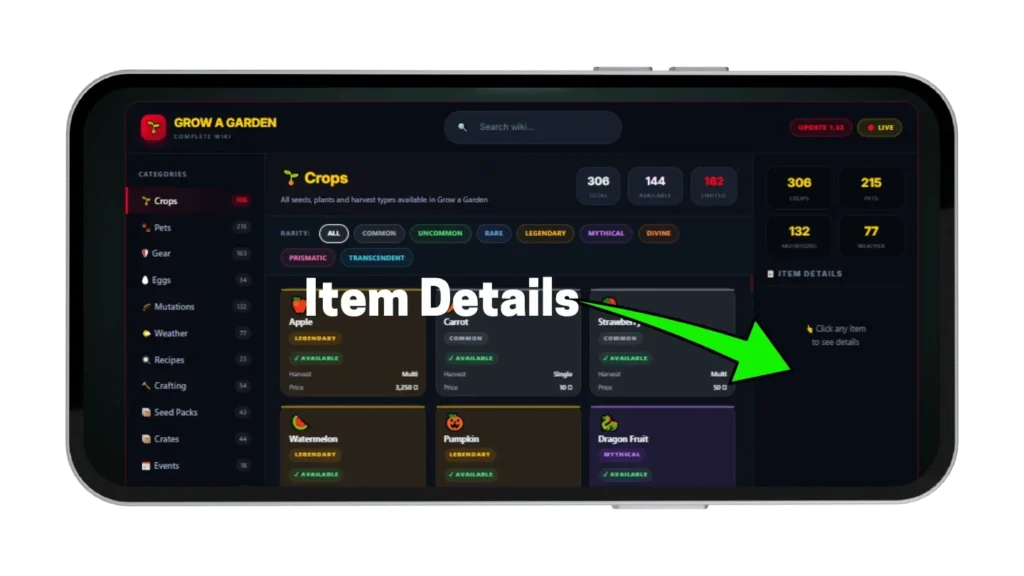
to see details
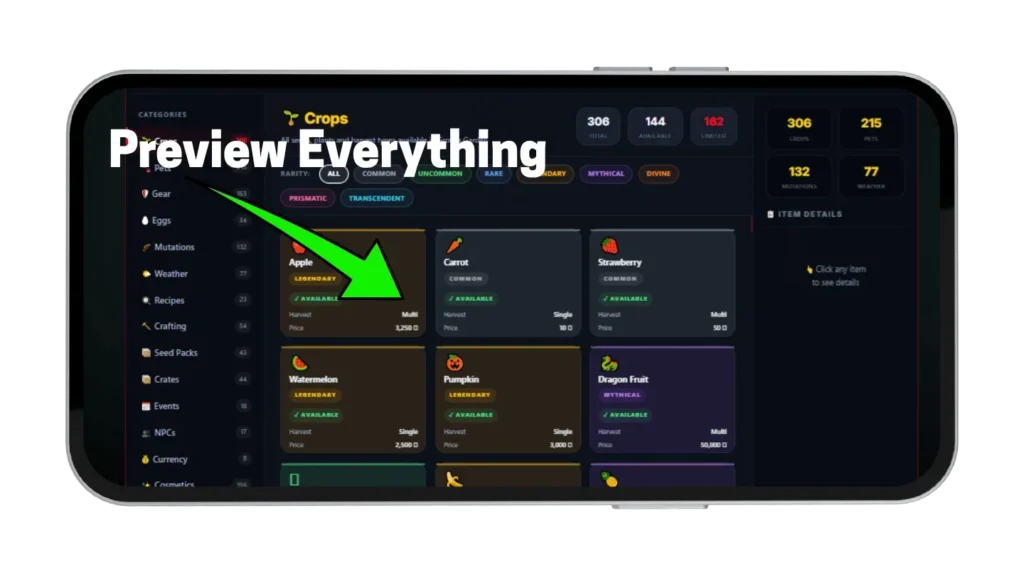
Fifteen categories of game data — Crops, Pets, Gear, Eggs, Mutations, Weather, Recipes, Crafting, Seed Packs, Crates, Events, NPCs, Currency, Cosmetics, and Plant Types — all searchable and filterable in one reference database. Every crop shows its rarity, harvest type, and availability. Every pet shows its hatch rate and whether it is currently obtainable. Click any entry to see full details without leaving the page.
What Is the Grow a Garden Wiki?
This is a reference database — not a value calculator. It covers what every item is, where it comes from, what it does, and whether it is currently available in the game right now. For Sheckle values use the main Grow a Garden Calculator for crops and the pet calculator for pet trade values — this wiki is the lookup tool you use before those calculators to confirm you have the right item entered.
Most reference pages cover one topic at a time — one page for mutations, one for pets, one for eggs. Finding information across three topics in one trade conversation means opening three separate pages and cross-referencing manually. This wiki puts all fifteen reference categories into one filterable, searchable database that loads instantly without switching tabs.
How to Use the Wiki Database?
The wiki loads with Crops as the default category and navigation between all fifteen categories is available without any page reload. Every category has a filter bar, a search bar, and a click-through detail panel — no setup required before your first lookup. Understanding all three navigation tools before your first session makes any reference check take under thirty seconds regardless of which category you need.
Navigate Between Categories
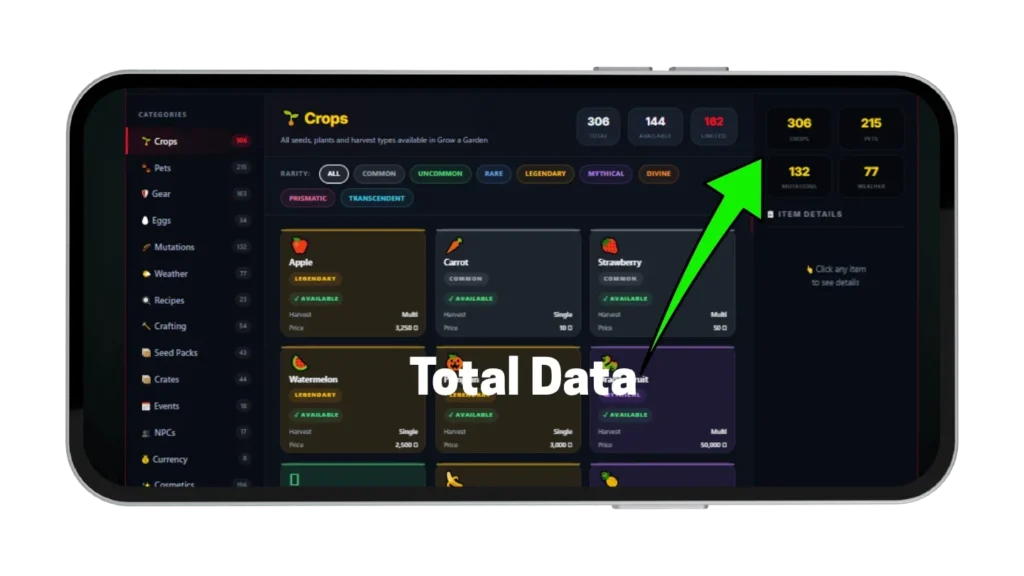
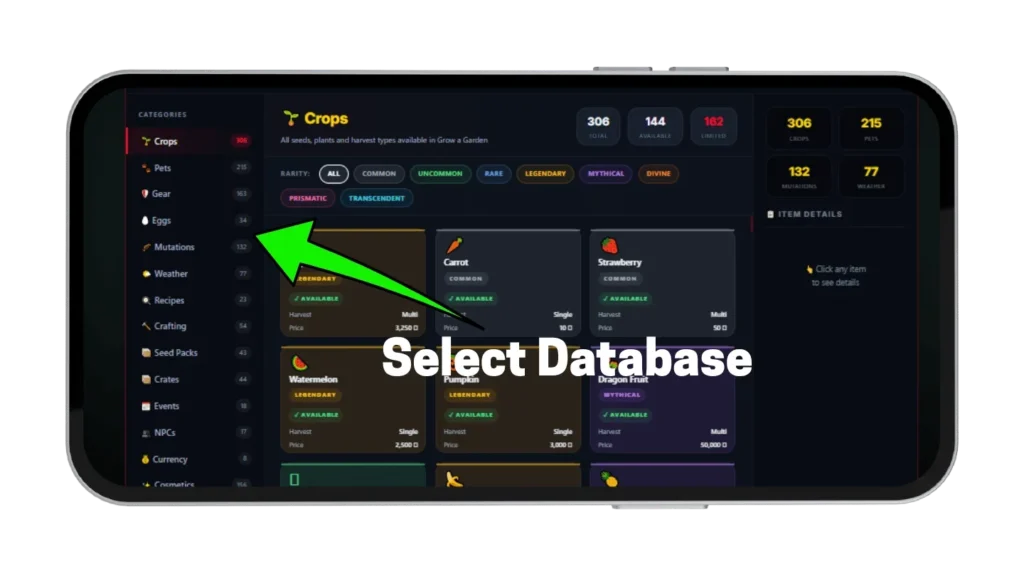
Click any category in the left sidebar — Crops, Pets, Gear, Eggs, Mutations, Weather, Recipes, Crafting, Seed Packs, Crates, Events, NPCs, Currency, Cosmetics, or Plant Types. The main panel updates immediately to show that category’s entries with no page reload. On mobile the sidebar collapses into a horizontal tab row at the top of the screen with the same navigation. Each category shows a total count, an available count, and a limited count in the header so you know the scope before filtering.
Filter by Rarity and Type
Every category has a filter bar below the header — Crops and Pets filter by rarity tier from Common through Prismatic or Transcendent. Mutations filter by category — Weather, Pet, Admin, Event, or Combined. Gear filters by type — Sprinklers, Mutation Sprays, Pet Shards, or Upgrades. Click any filter chip to show only entries matching that category and click All to reset — filters combine with search so you can find a Mythical pet whose name contains a specific word in one step.
Search and Click for Details
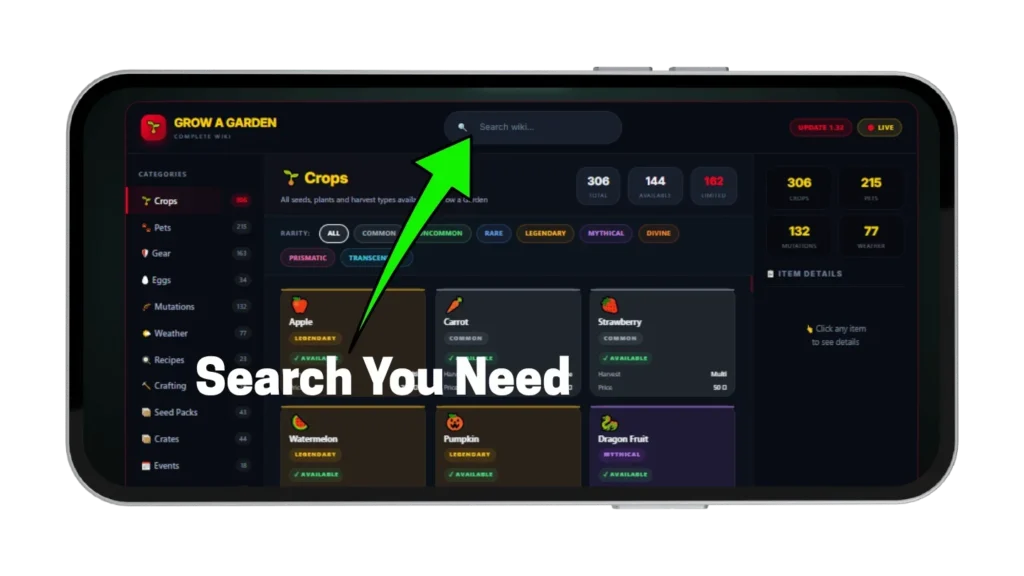
The search bar in the top bar works across whichever category is currently active — type any part of an item name and matching entries remain visible while non-matching entries hide. Click any card in the grid to open its full detail panel on the right side of the screen. The detail panel shows every available data point for that entry — rarity, base values, hatch rates, ability descriptions, and availability status. All lookup steps happen on one page without navigating away at any point.
Crops — Values and Rarity Guide
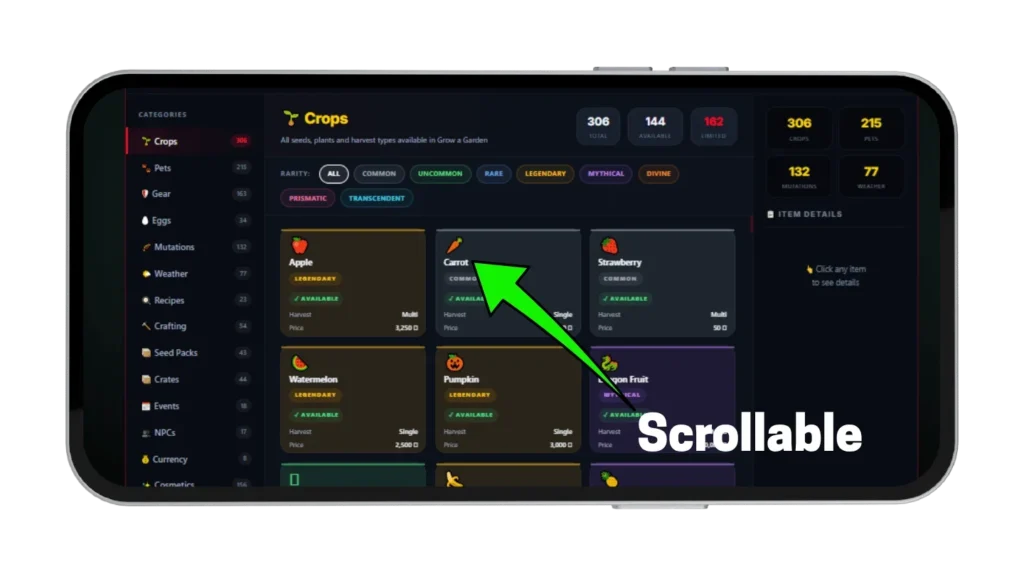
The Crops category contains 306 entries covering every seed, plant, and harvestable crop in the game with rarity tier, harvest type, price, and current availability on every card. The rarity filter narrows the full list to any single tier instantly so you can browse only the crops relevant to your current farming or trading session. Use availability status on every card to confirm which crops are in active rotation before planning any session around them. This is a reference database — for exact Sheckle values with mutations applied use the main Grow a Garden Calculator.
Common Through Legendary Crops
Common crops like Carrot at 10 Sheckles per kg and Strawberry at 50 Sheckles per kg are available from the standard Seed Shop and form the foundation of any new player’s farm. Rare crops like Corn and Tomato sit one tier above with higher base values and more selective growing conditions. Legendary crops like Watermelon at 2,500 Sheckles, Pumpkin at 3,000 Sheckles, and Banana at 7,000 Sheckles represent the transition from starter farming into mid-game income.
Mythical Through Transcendent Crops
Mythical crops like Dragon Fruit at 50,000 Sheckles, Mango at 100,000 Sheckles, and Moon Melon produce serious harvest values even without mutations. Divine crops like Sunflower, Mushroom, and Pepper are event-tied or require specific conditions to obtain and are marked Limited in the wiki when their event window closes. Prismatic and Transcendent crops — Beanstalk, Sugar Apple, Bone Blossom, Great Pumpkin, Trinity Fruit, and Maple Resin — represent the rarest farmable plants in the game with base values starting in the billions per kilogram even before any mutation applies.
Pets — Stats, Abilities, and Hatch Rates
The Pets category contains 215 entries covering every companion in the game with rarity tier, hatch rate from its associated egg, and current availability status on every card. Exact hatch percentages appear on every pet card rather than rounded approximations — this matters significantly when comparing eggs that differ by fractions of a percent on high-value pets. All availability statuses reflect current game data so you can confirm whether any specific pet is currently hatchable before purchasing its egg.
Common Through Legendary Pets
Common pets like Golden Lab at 33 percent hatch rate and Ladybug at 50 percent are the most accessible pets in the game. Uncommon pets like Cat, Chicken, and Bee sit one step above in both rarity and utility with noticeably stronger passive abilities. Legendary pets are the daily trading staples — Spider, Snail, Polar Bear, and Capybara all with exact hatch percentages visible on their cards so you can calculate expected hatch counts before spending Sheckles on any specific egg type.
Mythical and Divine Pets
Mythical pets include Butterfly at 1 percent from Anti Bee Egg applying Rainbow mutation to any crop with five or more mutations, Praying Mantis at 4 percent, and Barn Owl at 1 percent from Fall Egg. Divine pets are the rarest obtainable tier — Queen Bee at 1 percent from Bee Egg, Disco Bee at 0.25 percent from Anti Bee Egg, Red Fox at 1.5 percent, and Dragonfly turning one random crop gold every five minutes. All availability statuses in the wiki reflect current game data so you can confirm whether any specific pet is currently hatchable before purchasing its egg.
Mutations — Complete Reference
The Mutations category contains 132 entries covering every crop mutation in the game with its exact multiplier, category, and obtainment method. Filter by Weather, Pet, Admin, Event, or Combined to narrow the list to the source type relevant to your current farming session. Each mutation card shows the exact multiplier, its category, and how to obtain it so any lookup produces a complete answer in one click. This is a reference database — for exact Sheckle values with mutations applied use our mutation calculator.
Weather and Environmental Mutations
Weather mutations are the most accessible high-multiplier mutations because they trigger without any admin involvement — Shocked ×100 triggers during Thunderstorm, Celestial ×120 triggers during Meteor Shower, and Aurora ×90 triggers during Aurora Borealis. The wiki entry for each weather mutation shows the exact weather event that triggers it, whether a mutation spray exists for it, and which pets can apply it outside of weather conditions. Dawnbound ×150 triggers exclusively during Sun God events on Sunflower crops only and is marked with its event restriction clearly on the card.
Pet Applied and Combined Mutations
Pet mutations are applied passively by companion abilities — Dragonfly applies Gold growth variant, Chicken Zombie applies Zombified ×25, and Goldfinch applies Goldsparkle ×500 with a low probability per activation. Combined mutations form automatically when two or more base mutations are present on the same crop — Frozen ×10 forms from Wet plus Chilled, Cosmic ×240 forms from Celestial plus Aurora, and Astral ×365 forms from Cosmic plus Galactic. The wiki Combined filter shows all combined mutations in one filtered view with the exact base requirements listed on each card.
Eggs — Types, Costs, and Hatch Times
The Eggs category contains 34 entries covering every hatching option in the game with hatch time, Sheckle or Robux cost, craftability status, and current availability on every card. The availability status on each egg shows whether it is currently in active shop rotation, limited to a specific event window, or craftable on demand. Use the filter chips to show only Available, Limited, or Craftable eggs instantly before planning any egg purchase session.
Standard and Craftable Eggs
Common Egg takes 10 minutes to hatch and produces Golden Lab, Dog, or Bunny at equal probability. Mythical Egg takes 5 hours 6 minutes and produces Grey Mouse, Squirrel, Red Fox, and others at varying rates. Sprout Egg and Enchanted Egg are both craftable from the Crafting Bench — the wiki marks each craftable egg clearly so you know which options do not depend on shop rotation availability.
Event and Limited Eggs
Night Egg contains the ultra-rare Raccoon at 0.1 percent and is only available during specific event windows. Paradise Egg contains Mimic Octopus at 1 percent and Peacock at 30 percent. Anti Bee Egg contains both Butterfly at 1 percent and Disco Bee at 0.25 percent — the wiki shows exact hatch percentages for every pet in every egg so you can compare options before purchasing any specific egg type.
Gear — Sprinklers, Sprays, and Equipment
The Gear category contains 163 entries covering sprinklers, mutation sprays, upgrades, and equipment — filter by Sprinklers, Mutation Sprays, Pet Shards, or Upgrades to find exactly what you need without scrolling all 163 entries. Each entry shows its effect and availability badge so you can confirm any item is in active stock before farming for its crafting materials. Currently available mutation sprays include Shocked, Wet, Chilled, Windstruck, Verdant, Luminous, Glimmering, Tranquil, Corrupt, Cloudtouched, Choc, Bloom, and Pollinated — all marked Available in the wiki filter.
Sprinklers and Mutation Sprays
Basic through Grandmaster Sprinklers cover the standard watering progression with Lush Sprinkler granting growth boost and Honey Sprinkler attracting bee events. Mutation sprays let you apply specific mutations on demand outside of weather or pet conditions — Shocked Mutation Spray applies the ×100 mutation directly without requiring any Thunderstorm event. Each spray entry shows its effect and availability so you can confirm it is in active stock before farming for the crafting materials needed to obtain it.
Upgrades and Pet Shards
Plant Inventory Upgrade, Egg Capacity Upgrade, Cosmetic Inventory Upgrade, and Save Slot Upgrade are all permanent account upgrades marked Available in the wiki. Pet Shard entries cover the craftable pet fragment system — Giraffe, Lion, Oxpecker, Crocodile, and Rhino shards are currently listed with their source and crafting requirements on each card. Each upgrade card shows the effect and availability status so you can plan which to prioritize based on your current game stage.
Weather, Recipes, Crafting, and More Categories
Beyond the five main categories above, the wiki covers nine additional reference areas that complete the full in-game knowledge base. Each category uses the same search, filter, and click-through detail system as the main five so any lookup follows the same pattern regardless of which category you are in. Use these categories for session planning, event preparation, and cross-referencing information before any high-value trade or farming decision.
Weather and Recipes
The Weather category covers 77 entries across Standard, Admin, and Event weather types — every card shows which mutation it applies, its type, and whether it occurs naturally or requires admin spawning. The Recipes category covers 23 cooking recipes with cook times, base weights, and ingredient hints — Smoothie at 400 seconds, Candy Apple at 200 seconds, and Hotdog at 400 seconds are all listed with availability status showing which recipes require specific event access.
Crafting, Events, NPCs, Currency, and Cosmetics
Crafting shows 54 craftable items across 8 workbenches including Shocked Mutation Spray from Gear Crafting and Sprout Egg from the standard Crafting Bench. Events covers 18 entries with active, completed, or upcoming status alongside item counts and dates. NPCs covers 17 characters including permanent shopkeepers like Sam and Sprinkler Salesman and event-only characters like Chris P from the Cooking Event and Jack from the Beanstalk Event. Currency covers 8 types from Sheckles and Robux through event currencies like Chi, Honey, and Summer Coins, while Cosmetics covers 156 decorative items with prices and availability.
This Wiki vs Other References
Most competing reference pages cover crops or mutations or pets — rarely all three with equal depth in one place, and availability data on competing pages is frequently outdated because event-limited items are added once and never marked as limited when their event ends. Players who use those pages to assess a trade frequently find the item they looked up is no longer obtainable — which means the price assumption built around its availability is wrong. This wiki carries an explicit availability badge on every entry so you can see at a glance whether any item is in active rotation before building any trade assumption around it.
The 15-category structure means a complete game reference lookup — crop rarity, pet source, mutation method, egg cost — happens on one page without navigating away. Exact hatch percentages on every pet card rather than rounded approximations matters significantly when comparing eggs that differ by fractions of a percent. Search works within whichever category is active so you can search for a specific mutation name while viewing the Mutations category and see only matching results instantly.
Tips for Using the Wiki Effectively
These three habits turn this reference database from an occasional lookup tool into a consistent trade and farming advantage every session. None require rare pets, special account access, or extra game time — just checking the right information before committing to anything. The players who know what things are and where they come from win every trade against the player who is guessing on both counts.
Check Availability Status Before Every Trade
Limited items command higher prices than available items because supply is constrained — before accepting any trade involving a pet, egg, gear item, or crop you do not recognize, open the wiki and check its availability badge. An item marked Limited that the other player is offering may be worth significantly more than a comparable Available item. The availability check takes under five seconds and prevents the most common information-gap trade losses.
Use Rarity Filter to Compare Within Tiers
When evaluating a trade involving multiple items of similar rarity, filter the relevant category to that rarity tier and browse all entries at that level simultaneously. Comparing three Mythical pets against each other in one filtered view — seeing their hatch rates and availability in parallel — produces a much clearer picture of relative value than reading about each one individually on separate pages. The same approach works for mutations — filter to a specific category and compare multipliers across that entire tier before deciding which to target.
Cross-Reference Categories for Full Trade Clarity
A complete trade evaluation for a high-value item often requires information from three categories simultaneously — a Disco Bee trade requires knowing the pet’s rarity from Pets, the egg it comes from and its hatch rate from Eggs, and the mutation it applies and that mutation’s multiplier from Mutations. The wiki lets you navigate between all three categories in the same tab without losing context. The full picture assembles in under two minutes without opening a single additional page.
Pros and Cons
Pros
1: 15 categories in one page — no tab switching needed
2: Availability badge on every entry — limited vs available clearly marked
3: Search and rarity filter work together in each category
4: Click-through detail panel shows full item data instantly
5: Free on every device with no login required
Cons
1: Reference database only — Sheckle values require the dedicated calculators
2: New event items may lag 24 to 48 hours after patch release
3: Some newer pets show placeholder ability descriptions
4: Recipe ingredient details are partial for limited recipes
5: Cosmetic pricing reflects Robux costs at time of listing
Faqs
Conclusion
Grow a Garden has over 1,000 named entries across crops, pets, mutations, eggs, gear, weather, recipes, crafting, and more — most players know a fraction of them well and guess on the rest, which is exactly where trades go wrong and farming decisions cost unnecessary Sheckles. This Grow a Garden Wiki puts the full reference database in one page with search, rarity filters, and click-through details so any lookup takes under a minute.
Use it alongside the Grow a Garden Calculator for crop Sheckle values, the mutation calculator for stacked multipliers, and the pet calculator for pet trade values. The players who know what things are and what they are worth win every trade they enter.