
Grow a Garden Weight Calculator Pet KG, Age & Growth Guide
Your pet is sitting at 3.2 kg right now. Someone asks how heavy it will be at age 100 and what class it will reach. This Grow a Garden Weight Calculator gives you that number before the conversation even starts, updated May 2026 with the verified formula the game uses.
| Age | Weight (kg) | Class |
|---|
Enter your pet’s current weight in kg and its current age and the calculator back-calculates your hatch weight, projects weight at every age from 1 to 100 on a live chart, and shows your current classification alongside exactly how much weight remains until age 100. No login. No download. Free on every device right now.
What Is Weight in Grow a Garden?
Weight in Grow a Garden is not cosmetic — it directly determines how strong your pet’s passive abilities are, which classification it belongs to, and how much it is worth in any trade. A pet at 2 kg and the same pet at 8 kg have fundamentally different trade value and ability output even if every other variable is identical. Weight scales linearly from hatch to age 100 following a fixed formula, which means every pet has a predictable ceiling you can calculate the moment you know its current weight and age.
Understanding how the grow a garden weight calculator works and what KG means in this game is the foundation of every serious pet trade negotiation. Players who can quote hatch weight, age 100 projection, and current classification in seconds consistently get better deals than players who can only report a current weight without context. The two inputs this tool requires are the same two numbers every player already has in front of them during any trade conversation.
What Is the Grow a Garden Weight Calculator?
The Grow a Garden Weight Calculator is a free browser tool that takes your pet’s current weight in kg and current age, back-calculates the hatch weight automatically, and projects that pet’s weight at every age from 1 to 100 on a live chart. You see the full growth path, current classification, age 100 final weight, and total weight gain remaining — all from two inputs in one click. No hatch tracking required, no records needed — enter what the game shows you right now and get the full picture instantly.
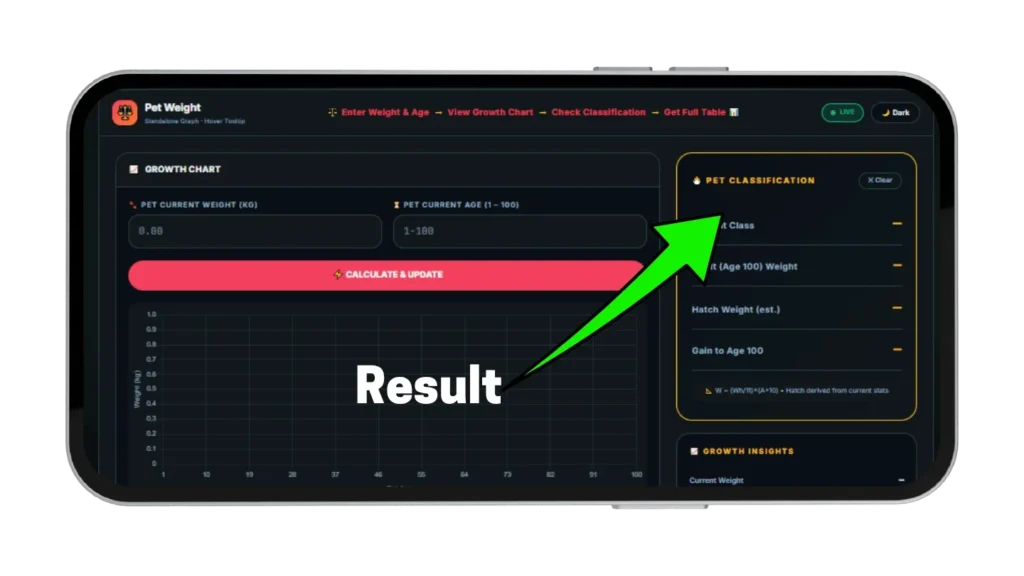
Most players only know their current weight and age — not their original hatch weight — and this grow a garden kg calculator is built around those two numbers because that is what every player actually has in front of them during any trade conversation. The sidebar shows current classification, estimated hatch weight, age 100 final weight, and total gain remaining simultaneously so every number a trader asks for is visible in one place. Enter your stats, hit Calculate, and the full picture is ready before anyone asks for a single number.
How This KG Calculator Works?
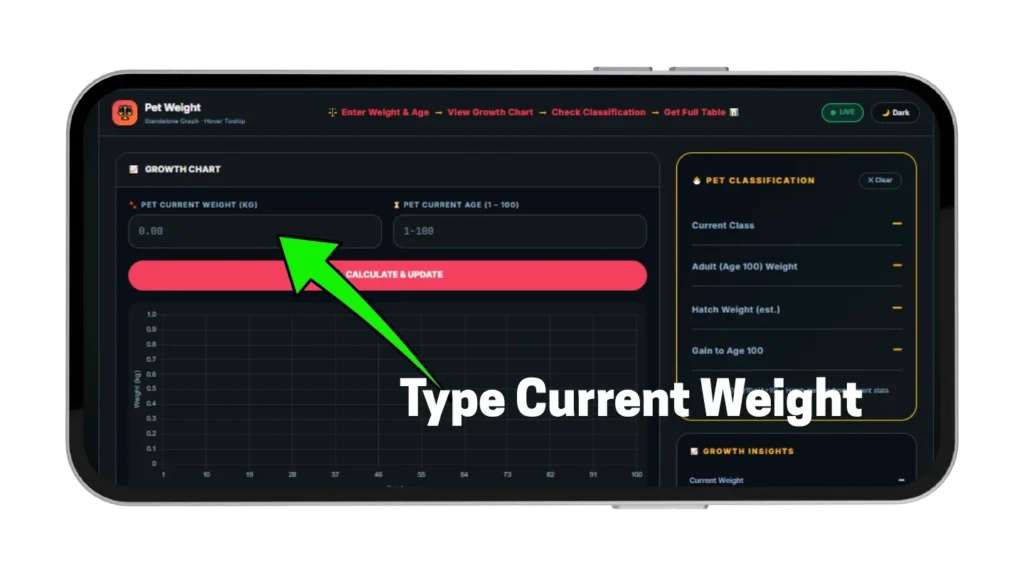
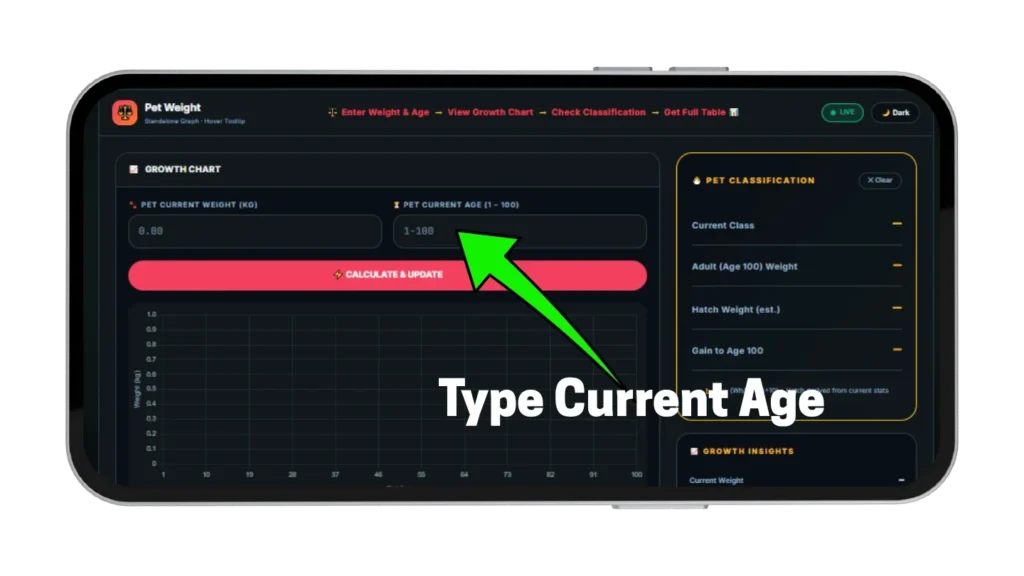
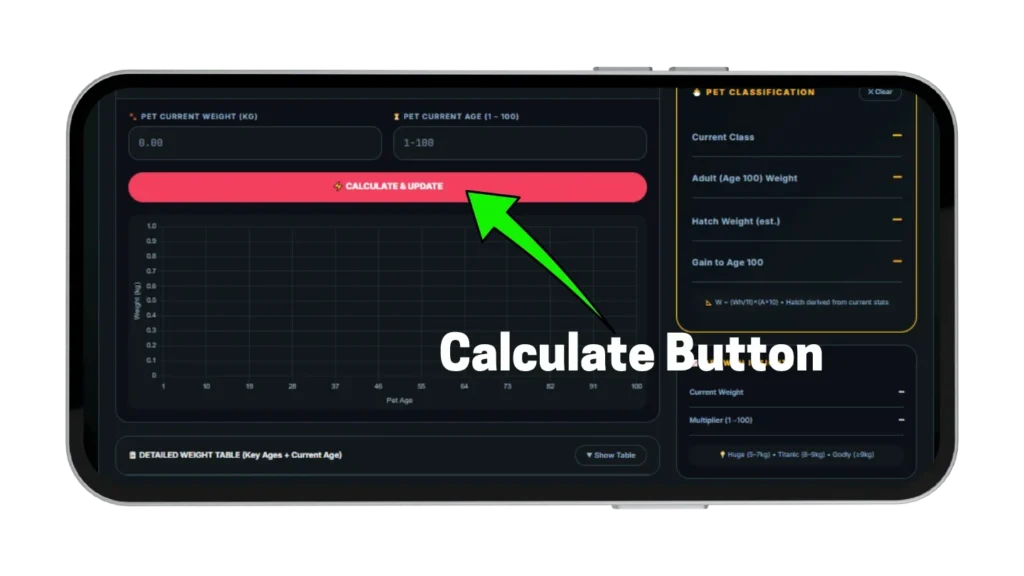
Two inputs, one click, full projection — the tool does all the math from your current stats without requiring hatch weight directly. Enter your current weight in kg exactly as shown in-game and enter your pet’s current age from 1 to 100, then hit Calculate and every result updates simultaneously. Starting from these two numbers the tool back-calculates hatch weight, builds the full chart, fills the table, and updates the sidebar classification all at once. The grow a garden weight calculator is designed so any player can get a complete picture from the two numbers visible on any pet card in the game.
Enter Current Weight and Age
Type your pet’s current weight in kg exactly as the game displays it — decimal values are accepted for precision and the tool handles any value from 0.01 kg upward. Enter the pet’s current age from 1 to 100 in the age field and the calculator needs nothing else to build the full projection. It back-calculates hatch weight using the reversed formula and builds the full age 1 to 100 projection from those two numbers alone.
Read the Growth Chart
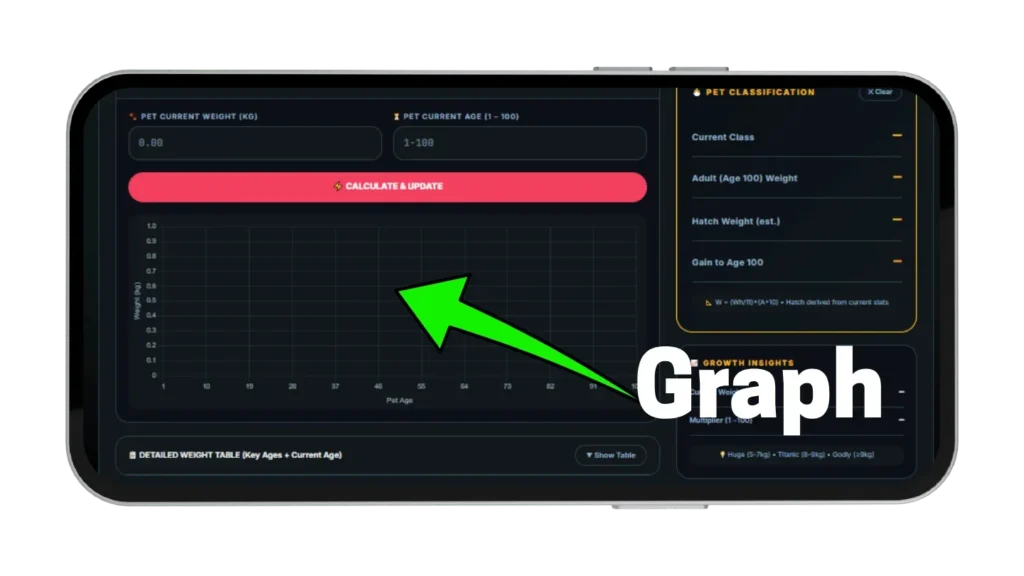
A live line chart shows your pet’s weight from age 1 to 100 the moment you click Calculate. Hover over any point on the chart to see the exact weight at that specific age displayed in a floating tooltip. The chart updates every time you enter new values so you can test different starting weights and ages before committing to any trade decision.
Check Your Weight Table and Classification
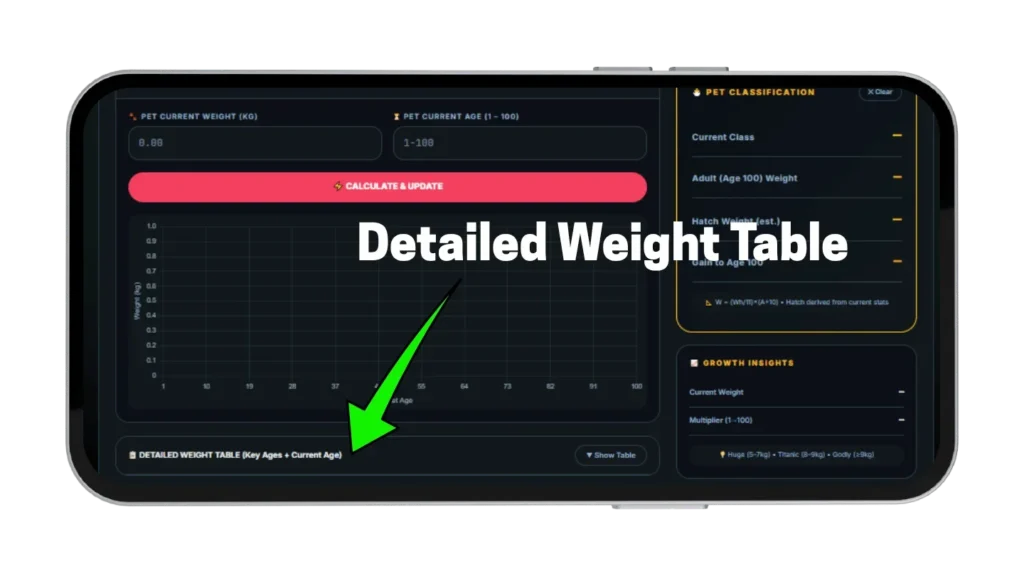
Below the chart a collapsible table shows weight at key age milestones with your current age highlighted in a separate row — click Show Table to expand it. The sidebar shows your current classification, estimated hatch weight, age 100 final weight, and total weight gain remaining simultaneously. These four numbers are what most traders ask for before accepting any pet offer and having them ready before the conversation starts gives you a complete information advantage.
Pet Weight Formula Explained
The formula the game uses is straightforward once you see it written out and most players never look it up — which is exactly why they cannot answer basic kg calculator grow a garden questions during trades. Losing negotiating leverage every single time someone asks for a projection is a habit this formula eliminates permanently once you understand it. Both the chart and the sidebar values this tool returns are built on this formula exactly, so every number you read here matches what the game calculates internally.
The Verified Weight Formula
Weight at any age equals hatch weight divided by 11, multiplied by age plus 10 — written as W equals Wh divided by 11, multiplied by A plus 10. At age 1 the result equals hatch weight itself and at age 100 the result equals exactly 10 times the hatch weight. Every single pet at age 100 weighs exactly 10 times what it weighed at hatch regardless of species, rarity, or any other variable in the game.
How Hatch Weight Is Back-Calculated
The calculator reverses the formula to find hatch weight from what you actually know — hatch weight equals current weight multiplied by 11, divided by current age plus 10. Enter a 4 kg pet at age 30 and the tool returns a hatch weight of 1.1 kg, and enter a 6 kg pet at age 50 and the hatch weight comes back as 1.1 kg as well confirming both pets share the same ceiling despite their age difference. This back-calculation is the core feature that makes the grow a garden weight calculator useful without requiring players to record any data at the moment of hatch.
Pet Weight Classifications — Normal to Godly
Classifications determine how your pet is described in trades and directly correlate with ability strength in the game. Knowing your pet’s current class and its projected class at age 100 changes how you price it in any negotiation and how seriously experienced traders treat your offer. The sidebar in this tool shows current classification instantly after every Calculate click so you never have to estimate which range your pet falls in.
Normal and Huge Classifications
Normal covers pets from 1 kg up to 5 kg — most pets from standard eggs and shops fall in this range at the ages players typically trade them. Huge starts at 5 kg and runs to 7 kg, and pets in the Huge range have noticeably stronger ability outputs than Normal pets of the same species because most abilities scale with weight directly. A Huge-classified pet at age 50 is worth significantly more in any trade than the same species at Normal weight, even when the visible kg difference between the two is only a few kilograms.
Titanic and Godly Classifications
Titanic covers 8 kg to 9 kg — reaching Titanic classification requires either a very high hatch weight or a Huge roll at hatch which multiplies the base weight by four. Godly starts at 9 kg and above, and a Godly-classified pet has the highest possible ability multipliers available in the game and commands top-tier trade value. Most players will never own a Godly-class pet from standard eggs without a Huge hatch roll, which makes Godly-class pets extremely rare and highly sought after in every trade community.
How Age Changes Pet Weight in Grow a Garden
Age and weight are directly linked in a perfectly linear relationship in Grow a Garden with no acceleration, no slowdown, and no cap before age 100. Every age level adds a fixed amount of weight equal to hatch weight divided by 11 without exception across any pet type. This linearity is what makes the full age 1 to 100 chart useful — every point on the line is exact, not estimated, and hovering over any age on the chart returns the precise kg at that point.
Weight Gain Per Age Level
A pet with a 1 kg hatch weight gains approximately 0.091 kg per age level — by age 10 it sits at 1.82 kg, by age 50 it sits at 5.45 kg, and by age 100 it reaches exactly 10 kg. A pet with a 2 kg hatch weight gains approximately 0.182 kg per level and reaches 20 kg at age 100. The growth rate is always proportional to hatch weight, meaning higher hatch weight produces faster absolute weight gain per level even though the formula multiplier is identical for every pet.
The Age 100 Target
Age 100 is the maximum and the target for every serious trader asking about weight in the game — a pet at age 100 weighs exactly 10 times its hatch weight, which is mathematically exact from the formula and not an approximation. Traders who ask for age 100 weight projections are checking whether your pet will reach their desired classification before they invest time into a deal. Entering your pet into this grow a garden age weight calculator gives you that number before any negotiation even starts.
Hatch Weight — Why Your Starting KG Matters
Hatch weight is the single most important number in a pet’s entire lifespan and it determines the ceiling — no amount of leveling, no mutation, and no growth form changes that ceiling once a pet hatches from an egg. The difference between a low hatch weight and a high hatch weight compounds every age level and produces dramatically different trade values at age 100 on pets that look similar at low ages. Back-calculating hatch weight from current stats is the only way to know which ceiling you are working toward before agreeing to any trade. This tool makes that back-calculation automatic from the two numbers already visible on your pet card.
Standard Egg Weight Ranges
Standard eggs produce pets with hatch weights between approximately 0.88 kg and 2.20 kg, while shop and chest pets typically hatch in a narrower range of 0.88 kg to 1.32 kg. A pet at the low end of 0.88 kg hatch weight reaches 8.8 kg at age 100, just below Titanic classification, while a pet at the top end of 2.20 kg reaches 22 kg at age 100 deep into Godly territory. The difference between the lowest and highest standard egg roll at age 100 is over 13 kg — a gap that makes hatch weight the most impactful single variable in any pet’s entire lifespan.
Why Two Pets at the Same Age Weigh Differently?
Two pets of the same species at the same age can have very different weights if they hatched at different base weights — a player who hatched a 1.5 kg pet and a player who hatched a 2.0 kg pet both at age 30 will have pets weighing 4.09 kg and 5.45 kg respectively. The 5.45 kg pet is already Huge classified while the 4.09 kg pet is still Normal, and this gap grows wider every age level and never closes. Back-calculating hatch weight from current stats using this kilogram calculator is the only way to know which ceiling you are working toward before agreeing to any trade.
Huge and Titanic Pets — Weight Thresholds Explained
Huge and Titanic are not just classification labels — they represent rare hatch outcomes that permanently change a pet’s weight ceiling and trade value from the moment the pet is received. Understanding how they work prevents expensive mistakes when evaluating trade offers from other players claiming these statuses. Both thresholds are visible in the classification sidebar of this tool the moment you enter current weight and age and hit Calculate.
The Huge Roll and What It Does?
Approximately 0.1 percent of hatches produce a Huge pet — Huge multiplies the pet’s hatch weight by four, so a standard egg that would normally hatch at 1.5 kg produces a 6 kg Huge pet instead. That 6 kg Huge pet reaches 60 kg at age 100, already deep into Godly territory from the very moment it hatches. The Huge roll is visible immediately at hatch from the pet’s unusual size and weight compared to normal hatches from the same egg type, so there is no ambiguity about whether a pet is Huge when you first receive it.
Titanic Eligibility and the Brontosaurus Rule
Titanic is a separate status that only applies when a pet’s raw hatch weight — without any Brontosaurus bonus — reaches at least 3.0 kg. Brontosaurus adds 30 percent weight to other pets hatched in the same session but this bonus is explicitly excluded from the Titanic eligibility check, meaning a pet that reaches 3.2 kg hatch weight only because of a Brontosaurus bonus is not Titanic-eligible. Always check raw hatch weight without any bonus applied when evaluating Titanic claims in any trade offer.
This Weight Calculator vs Other Tools
Most competitor weight calculator grow a garden tools ask for hatch weight as a direct input — but most players do not know their hatch weight because they never recorded it at hatch, making those tools useless for anyone who did not track that number from day one. Some tools also show only milestone ages like 10, 25, 50, and 100 without a full chart, which means players cannot see the exact weight at the specific age they are trading at right now. This calculator takes current weight and current age — the two numbers every player actually has — and back-calculates hatch weight automatically with a full age 1 to 100 chart showing every single point with hover tooltips.
The collapsible table highlights your current age row for fast trade reference and the sidebar shows hatch weight, age 100 final weight, current classification, and total gain remaining simultaneously — all four numbers a trader asks for in one place. No competitor tool combines back-calculation, full chart with hover tooltip, collapsible milestone table, and live sidebar classification in a single free browser tool. This is the only grow a garden kg calculator that gives you the complete picture from the two numbers already visible on your pet card without requiring any additional data.
Tips to Maximize Pet Weight for Trading
These tips are grounded in how the formula works and each one produces a measurable difference in how you evaluate and present pet weight in any trade conversation. None require rare pets, special account access, or extra game time — just checking the right numbers before committing to anything. The players who win weight-based negotiations consistently are the ones who already have their projections ready before any conversation starts.
Always Calculate Age 100 Weight Before Listing a Pet
Traders care about the ceiling, not the current number — a pet at age 30 with 4 kg current weight sounds average, but if its age 100 projection shows 13 kg Godly class that pet is worth far more than its current stats suggest. Enter your pet into this grow a garden age kg calculator before any listing and lead with the age 100 number and projected class in your trade description. Buyers consistently make decisions based on ceiling potential rather than current floor weight, and knowing your age 100 number before anyone asks puts you ahead of every negotiation from the first message.
Use Hatch Weight to Identify Under-Valued Trades
When someone offers you a pet, ask for its current weight and age, then enter both into this calculator and check the hatch weight it returns. A pet offered at age 20 with 2.5 kg current weight has a back-calculated hatch weight of approximately 1.06 kg and will reach 10.6 kg at age 100 — a strong result worth real Sheckles. A different pet at the same age and weight with a lower back-calculated hatch weight is a worse deal at the same price, and this per kg calculator grow a garden check takes under ten seconds before responding to any offer.
Check Classification Before Accepting Any Pet Offer
Classification affects every ability multiplier in the game — a Huge-class pet with 5.5 kg performs differently than a Normal-class pet with 4.8 kg even though the visible difference is less than 1 kg. Enter every incoming trade pet into this tool before responding and compare current classification, age 100 projection, and back-calculated hatch weight for both your pet and theirs. The player with those numbers wins every negotiation against the player who is guessing — there is no faster way to gain a complete information advantage in any trade conversation.
Pros and Cons
Pros
1: Back-calculates hatch weight from current weight and age — no hatch tracking needed
2: Full age 1 to 100 chart with hover tooltip showing exact weight at every point
3: Current classification shown instantly alongside age 100 projection
4: Collapsible weight table with current age highlighted for fast trade reference
5: Free on every device with no login, no account, and no download required
Cons
1: Brontosaurus bonus not modeled separately — Titanic eligibility check uses raw hatch weight only
2: Huge roll probability not shown in output — the tool calculates weight, not hatch odds
3: Back-calculation assumes standard linear growth only
4: All inputs are manual — no in-game sync or automatic data pull
5: Hatch weight estimate has minor rounding at extreme decimal values
Faqs
Conclusion
Pet weight in Grow a Garden is not a detail — it is the variable that determines classification, ability strength, and trade value all at once. Every serious trade conversation eventually asks for age 100 weight and classification, and the players who have that number ready consistently win trades against players who are still guessing. This Grow a Garden Weight Calculator gives you those numbers from two inputs in one click.
Use it before every trade and never get caught without an answer again. For full pet Sheckle value alongside weight planning use our pet calculator, and for crop Sheckle calculations use our main calculator.