
Value List · Hub
Grow a Garden Value List — Crop, Pet, Trade Values
Last updated: November 3, 2026
[xyz-ips snippet="Grow-A-Garden-Value-List"]
A value list is only useful if it tells you three things for every number: what the number is, what inputs produced it, and when it was last checked. A bare number with no inputs and no date is not a value. It is a rumour with formatting. This hub gives all three, and it gives them in the same order for crops, pets, and trades.
Read a Value Before Trading
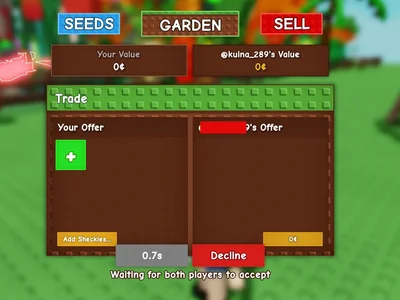
First, find the item’s row and read its inputs, not just its headline number. Second, check whether the row’s weight, mutation, and age match the item you actually hold. Third, check the row’s last-review date against the last patch. Fourth, carry the number into the trade checker with its ratio, not as a bare label. A value read any other way is a shortcut past the parts that make it trustworthy.
Base, Floor, Weight: Three Numbers
Base value is a crop’s value at base weight, before mutations. Floor price is the lowest value a result can take, and it matters most for tiny, light, or heavily decayed items. Weight is the measured kilograms of the item in hand. Confusing any two of these three produces a confident wrong price: a floor price quoted as a base value understates every normal item, and a base value quoted as a weight-adjusted price ignores the square that weight applies.
Weight and Mutation Change Value
A crop’s value changes with weight because weight enters squared in GAG1: double weight means four times the weight factor. It changes with mutation because environmental mutations combine in a bracket and one growth variant multiplies outside it. It changes after patches because base values and multipliers move. A value list that prints one flat price per crop, with no weight and no mutation, is not simplifying. It is deleting the two inputs that matter most.
Win, Fair, Lose: One Ratio
Received Over Offered: 1.10 Thresholds
On this hub: Win at 1.10 and above, Fair from 0.90 to 1.10, Lose below 0.90. A trade at 1.05 is Fair here. A trade at 1.15 is a Win here. A trade at 0.85 is a Lose here. The ratio is printed beside every label, because a label without its ratio hides the size of the gap, and the size of the gap is what a trader actually needs.
Other Sites Use 1.15, 0.87 Thresholds
Conflict, stated openly: other sites use Win above 1.15, Fair 0.87–1.15, Lose below 0.87, and some reverse the ratio entirely. To compare, convert the ratio first: reverse it if its direction is opposite, then apply this hub’s bands. The conversion matters most near the boundaries, where the same trade changes label between systems while its numbers do not change at all.
Some Sites Score Fair Within 20%
You offer items totalling 1,000 tokens. You receive items totalling 1,120 tokens. Ratio = 1,120 ÷ 1,000 = 1.12. On this hub: Win, because 1.12 is at or above 1.10. On a 1.15 system: Fair, because 1.12 sits inside 0.87–1.15. The difference is 120 tokens either way. Read the difference, not just the label, and weigh it against demand, liquidity, and whether you want the items at all.
Same Trade Scored Both Ways
This hub uses one ratio direction everywhere: value received divided by value offered. It never reverses direction between tables, because a reversed ratio in one table and a straight ratio in another would make the same trade look like a Win in one place and a Lose in another. Direction is stated in words on every table that uses it.
WFL Sites Disagree on Stacking
Crop Values by Weight
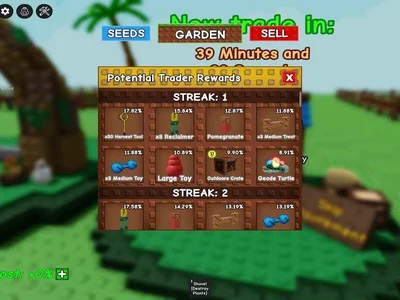
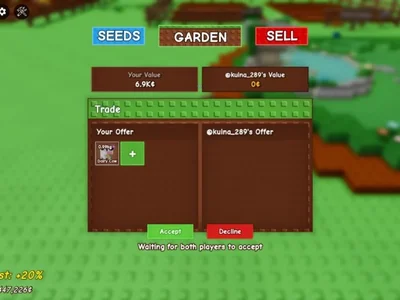
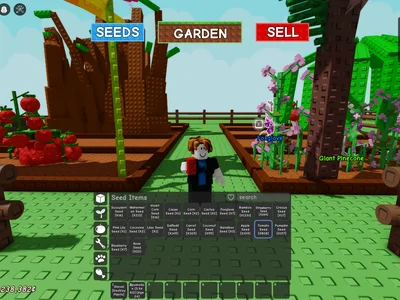
Token Datapoints, Not Flat Prices
Pet values on the checked value-list page come from manually verified trade datapoints, with in-between values by linear interpolation between anchors listed at 1 kg, 3.9 kg, 6.1 kg, 7 kg, 8 kg, 9 kg, 10 kg, 11 kg, and 11.4 kg.
| Item type | Priced from | Never priced from |
|---|---|---|
| Crop | Base value, weight squared, growth variant, bracket | Name alone |
| Pet | Hatch class, weight anchors, mutation tier, recent trades | Current weight alone, without age |
| Trade basket | Sum of priced lines, ratio received ÷ offered | Item count, or one side’s label |
Weight Squared Rewards Heavy Crops
Weight squared is why a heavy crop is worth far more than a light one of the same type, and why the gap widens as weight rises. A crop at double base weight carries four times the weight factor. A crop at triple base weight carries nine times. Add a growth variant and a bracket on top, and the heavy crop’s lead becomes decisive. Light crops are not worthless, because the floor rule protects them, but they are not in the same trade class as heavy ones.
Pet Values by Weight, Age
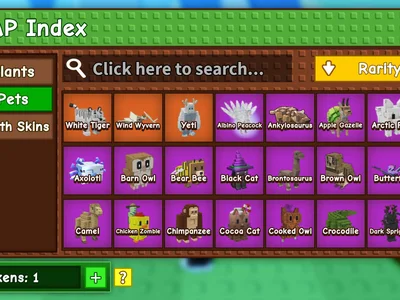
Hatch Weight, Age, Class Jumps
Pet value starts with hatch weight, because hatch weight sets the class, and class sets the premium. Age then projects weight forward through the weight formula, and the projected weight at a trade-relevant age is what anchors measure against. A pet that is heavy because it is old and a pet that is heavy because it hatched heavy are different trades, and only hatch weight separates them. Always record age with weight, or the value cannot be reproduced.
Super Giant 9 kg Threshold Claim
Crop-to-Pet Trades Explained
Most value lists price crops and pets on separate pages and never show how to compare them. That gap is where crop-to-pet trades go wrong, because the two pricing systems are added together without a shared unit.
Price Crops Against Pets Separately
Price the crop side with crop maths: base value, weight squared, growth variant, bracket. Price the pet side with pet maths: hatch class, weight anchors, mutation tier, recent trades. Convert both sides to the same unit (tokens or Sheckles as the table states), add each side separately, then divide received by offered. Never carry a crop multiplier into a pet price, and never carry a pet anchor into a crop price. The shared unit is the total, not the method.
GAG2 Values: Separate Table
Sheckles vs Leaves Currencies
GAG2 values live in a separate table on this hub, and they never mix with GAG1 values. Garden Valley pays in Sheckles. Fall Harvest pays in Leaves. The two currencies do not convert into each other, and a GAG2 total must state its world before it states its number. GAG2 values on one model come from base sell × size to the power of 2.5 × mutation × freshness × friend boost, with Maple crops reskinned at identical price and rarity to their Garden Valley twins, except Maple Mushroom and Maple Bamboo, which escape a per-name payout nerf on that model. Those details are model claims, flagged as such, not settled facts.
Freshness Check
Last Review Date, Dated Gaps
The value-list page checked in earlier research reported a freshness date of 14 October 2026 and a daily-values claim on one tradevalues page, while other hubs update within days of each patch. This hub shows its own last-review date and does not claim another site’s freshness. Anything in this hub that is still dated after a patch is labelled as dated, with the patch it predates named where known. A dated value, labelled as dated, can still inform a trade. An undated value cannot be trusted for one.
Price each crop from weight and mutations, estimate pets separately from hatch class and recent trades, then enter both side totals in the WFL checker. Keep each item on its own line so one disputed item is easy to isolate.
Because the calculator prices measurable inputs (crop weight/mutations, pet weight anchors) while real trades add scarcity, demand, liquidity and trust. A Fair label can still be a bad deal if you give a liquid pet for slow collectibles.
Crops use NPC-style sell math (weight² + mutations); pets need hatch class, age, utility and comparable completed trades. One model (tradevalues) uses weight only for tokens; others add demand — the hub states which model each table uses.
Weight squared is why a heavy crop is worth far more than a light one of the same type, and why the gap widens as weight rises. A crop at double base weight carries four times the weight factor. A crop at triple base weight carries nine times. Add a growth variant and a bracket on top, and the heavy crop’s lead becomes decisive. Light crops are not worthless, because the floor rule protects them, but they are not in the same trade class as heavy ones.
GAG2 has a separate economy (Sheckles in Garden Valley, Leaves in Fall Harvest, no conversion between them). GAG2 values on gag.gg come from base sell × size^2.5 × mutation × freshness × friend boost, with Maple crops reskinned at identical price/rarity to Garden Valley twins — except Maple Mushroom and Maple Bamboo, which escape a per-name payout nerf.
Price each crop from weight and mutations, estimate pets separately from hatch class and recent trades, then enter both side totals in the WFL checker. Keep each item on its own line so one disputed item is easy to isolate.