
Pet Ability · Tool
Grow a Garden Pet Ability Search
Last updated: November 3, 2026
Tool note (tool on top, existing tool unchanged): The ability search sits at the top of this page. You type a keyword, filter by role or rarity, and read the matching pets. This article explains how to search well. No new tool is built here. Note for later review: the site’s own planning notes flag this page as overlapping the ability calculator in intent, so keep its angle strictly on finding pets, not on simulating power.
Pick the job you are hiring a pet for, and get the exact search method this page teaches — keyword, filters, and what to verify before you commit a slot. This helper finds pets by job, it does not simulate power: keep this angle strictly on finding pets.
A search row shows name, tier badge, rarity, and a short ability summary — enough to shortlist, not enough to decide. The card is a signpost, not a datasheet. Unknown means unverified, not weak. Patch changes outdate listed abilities, and role is not trade value.
Search by Name, Role, Effect
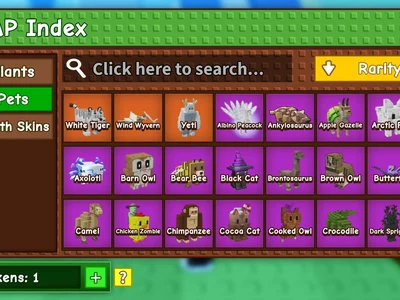
Start with the job, not the pet. Decide what you need a pet to do, then search for that job in words. Type a keyword from the ability description — a mutation name, a crop type, a weather trigger, or a passive effect — then filter by rarity or tier to narrow the results for trading or team building. If you start with a pet name, you will only find pets you already know. If you start with a job, you will find pets you did not know existed, which is the whole point of a search page.
Ability Roles, Defined Once




Roles are the search page’s vocabulary. Learn them once and every later search gets faster.
Farming and Growth Roles
Farming and growth roles cover pets that raise crop output, speed growth, or improve harvests. Search these when your bottleneck is Sheckles per hour from crops. Keywords here include growth, harvest, crop, and yield.
Mutation Roles
Mutation roles cover pets that apply mutations or boost mutation chances. Search these when your bottleneck is crop value rather than crop volume. Keywords here include mutation names themselves — ember, shocked, tranquil, wet, frozen — because the search matches ability text, not just role labels.
XP and Hatch Roles
XP and hatch roles cover pets that raise XP gain or speed up egg hatching. Search these when your bottleneck is levelling pets or turning eggs over. These roles pair naturally: a garden that hatches fast but levels slowly wastes its own output.
Sheckle and Trade Roles
Sheckle and trade roles cover pets whose abilities generate Sheckles directly or raise trade value. Search these when your bottleneck is money rather than mechanics. Remember that search finds role candidates; it does not price them. Price comes from trade data, not from a search card.
Defence and Night Roles
Defence and night roles cover pets that protect a garden or act at night, including steal defence. Search these when your bottleneck is losing crops to other players’ pets. Night roles behave differently from day roles, so check the trigger conditions on the pet’s own page before you commit a slot.
Search Rows: Shown and Missing
A search row shows the pet’s name, tier badge, rarity, and a short ability summary. That is enough to shortlist. It is not enough to decide. The card is a signpost, not a datasheet.
Ability, Trigger, and Cooldown
Read three things from every row: what the ability does, what triggers it, and how long its cooldown is. An ability that sounds strong but triggers rarely is weaker than a modest ability that fires constantly. If any of the three is missing from the card, open the pet’s detail page before you judge it.
Unknown Means Unverified, Not Weak
Some pets list their ability as unknown. That usually means the roster describes the effect with different vocabulary, or the passive lives only on a pet detail page not yet indexed, or the pet is new or reworked and its summary has not caught up. Unknown does not mean useless. It means unverified at a glance. Cross-check new or reworked species after updates, and never treat an empty result as proof that no pet does a job in-game.
Worked Search Examples

Find a Faster Hatch Pet
Type “hatch” and filter to XP and hatch roles. Shortlist pets whose ability text names hatch time directly, not pets whose summary merely mentions eggs in passing. Open each shortlisted pet’s detail page and check whether the reduction is flat, age-based, or weight-based. Pick the one whose scaling matches the ages you actually hatch at.
Find a Mutation-Granting Pet
Type the mutation’s name — for example “ember” or “tranquil” — and combine filters, such as mutation keyword plus mythical plus S or A tier, when stocking an end-game aura team. Read the trigger: does the pet apply the mutation on a timer, on harvest, or on another condition? A mutation pet whose trigger you cannot meet is a wasted slot, however high its tier.
Find a Garden-Wide XP Pet
Type “XP” and look for garden-wide wording rather than self-only wording. A pet that boosts its own XP helps one pet. A pet that boosts the whole garden’s XP helps every pet you own. That distinction is worth more than a tier letter, and it is exactly the kind of detail a search card can hide if you read only the first line.
Mistakes With Ability Search
Patch Changes Outdate Listed Abilities
Ability summaries come from community testing and patch notes, and they go stale after balance patches. A summary written before a patch may omit exact percentages, cooldowns, or reworked wording. After a major update, verify the pets you plan to invest in before you spend eggs or Sheckles on them.
Role Is Not Trade Value
A pet’s role tells you what job it does. Its trade value tells you what the market pays. Those are different facts. A high-tier role candidate can be cheap, and a low-tier pet can be expensive for scarcity or collection reasons. Search by role to find candidates, then price candidates from trade data.
Frequently Asked Questions
Type any keyword from the ability description — mutation names, crop types, weather triggers or passive effects — then filter by rarity or tier to narrow results for trading or team building.
Summaries of in-game passives from community testing and patch notes on the search page’s account. They are concise references and may omit exact percentages, cooldowns or patch-specific wording — verify after major updates.
No: search finds pets by text; the ability calculator simulates power at each age with mutations and boosts. Use search to discover pets, then the calculator for numbers.
No: search finds role candidates; weight classification and market prices decide whether a specific hatch is worth keeping. Tier badges on cards are editorial bands from the same dataset as the tier list, not proof a lower-tier pet cannot win a niche.
Type any keyword from the ability description — mutation names, crop types, weather triggers or passive effects — then filter by rarity or tier to narrow results for trading or team building.
93 pets on the growagarden-calc roster (June 2026 roster on that page), each with name, tier badge, rarity and ability summary. New patch pets are added within days of each update on that page’s claim.
Conclusion: Search Job, Check Pet
Search by the job you need done, shortlist by role and effect, then check the pet’s own page for age, weight, obtainment, and value before you spend or trade. A search result is a shortlist, not a purchase decision.